
Parametric 3D CAD makes the life of the engineer so much better.
It doesn’t necessarily make it easier, nor does the first iteration of a design go much faster. But revisions will happen. And when they do, parametric designs will certainly be updated significantly quicker than 2D AutoCAD designs or drawings by hand.
But sometimes you just want to do something that was a piece of cake when drawn by hand. Adding a few milliliters of oil to the bill of materials (BOM) of a gearbox assembly is such a matter.
It can be done however. I’ll show you how to do it manually and by using the API.
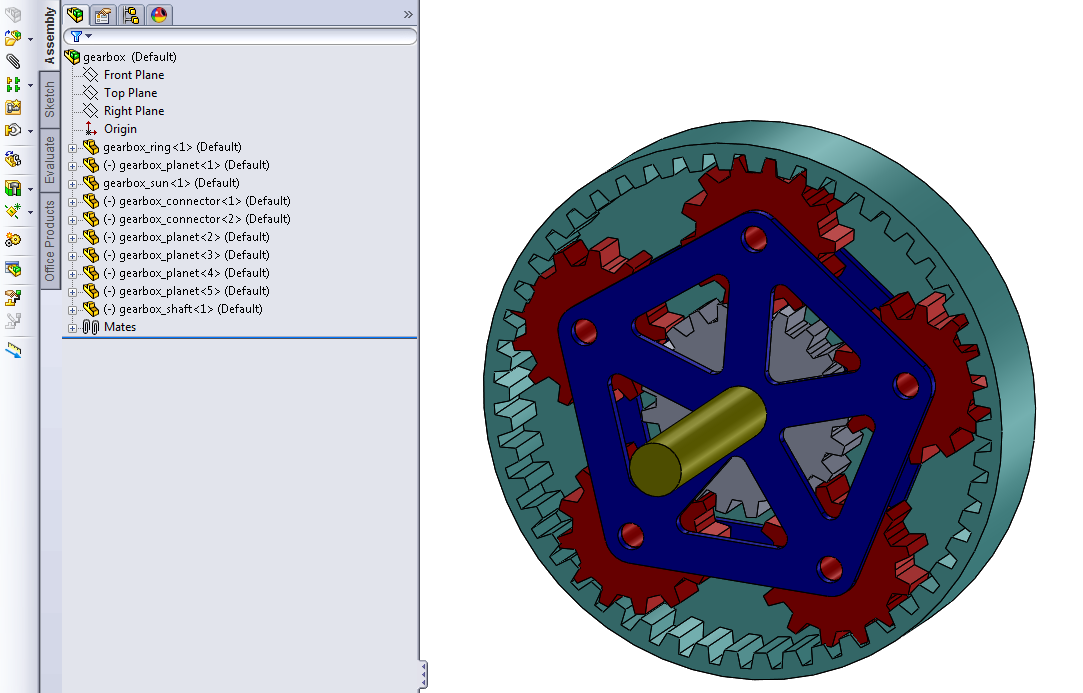
Suppose you have this assembly model of a planetary gearbox:
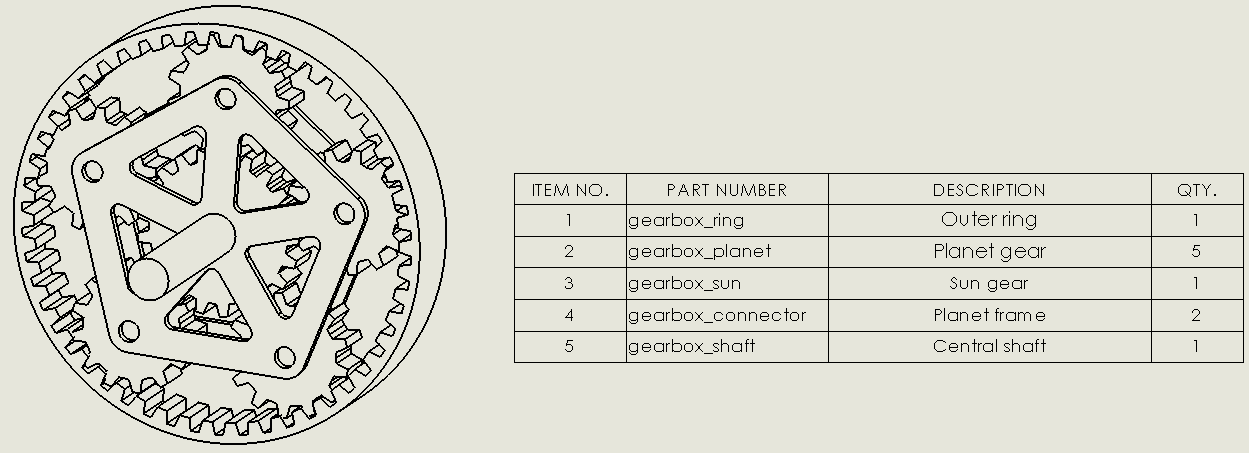
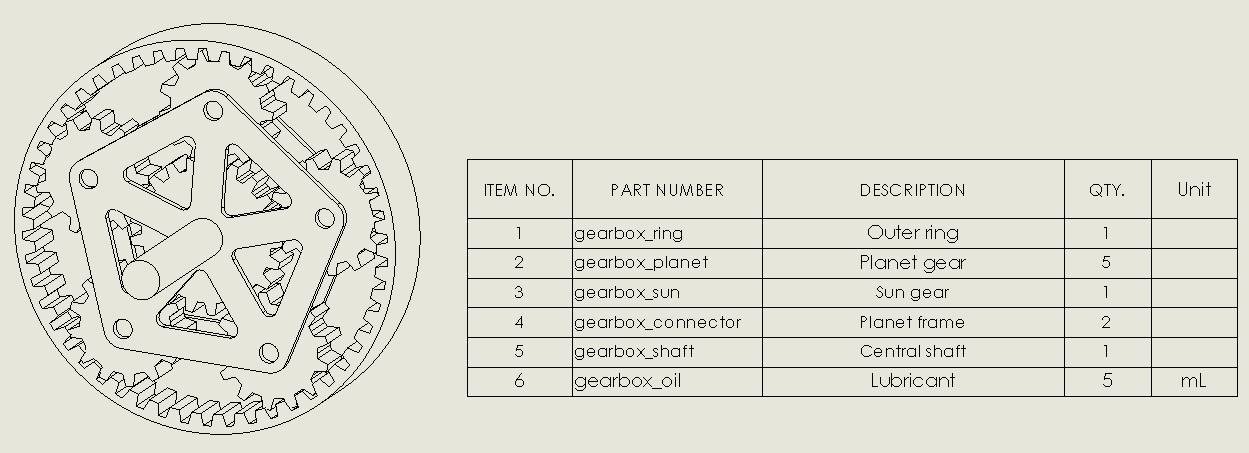
The parts will show up in a drawing bill of materials as follows:
Manually
The first step to add lubricant to this assembly would be to add another part. I have chosen to add a part without any features (if your OCD requires you to add mates to get rid of those awful minuses, try adding a single Origin mate).
The BOM now looks slightly more complete:
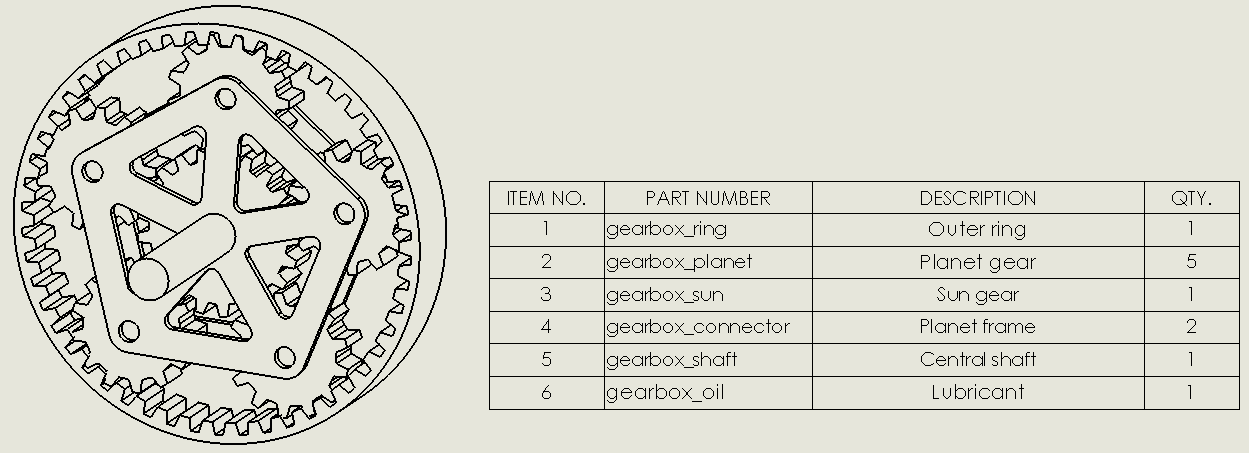
One lubricant please!
Now what? One gram, one hectoliter, one gallon? I can’t keep to remember the conversion from those Freedom Units to metric because they are so random.
The feature that SolidWorks has built for quantifying the amount of such items is called the BOM Quantity. You can find it at the top of the Custom Properties window.
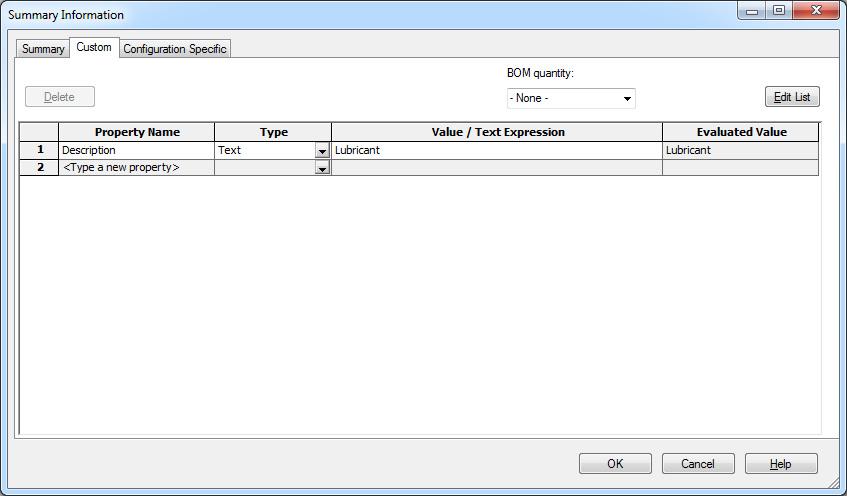
As default it is set to none. You can’t fill in a number here, you first need to add a custom property, then select that custom property to be the BOM quantity.
We’re also adding a custom property called Unit. We will add this to the BOM to clarify the amount of lubricant. The custom properties window then looks something like this:
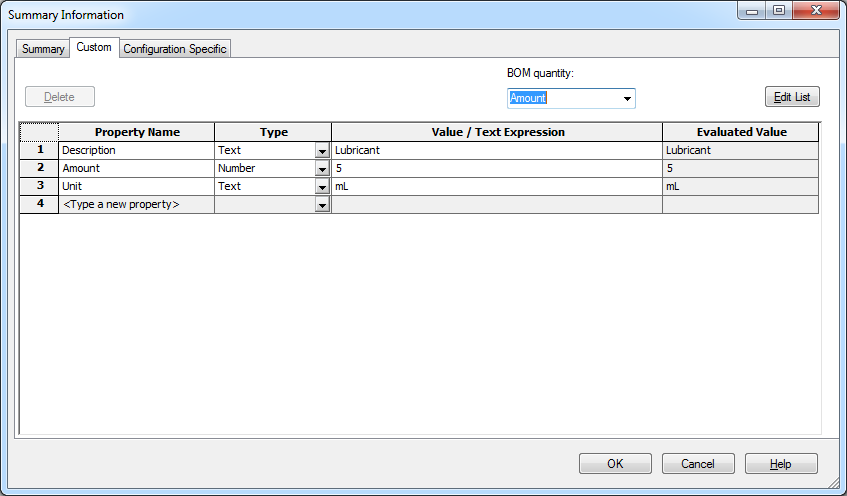
The quantity in the BOM will have updated already. In addition, you need to add a column (right click > Insert > Column right) and select the custom property Unit. This will give you the following bill of materials:
Changing the bill of materials quantity via the API
Now suppose you want to set or change these values from a macro or add-in that you wrote so the task can be automated. How would you handle that? I recently joined a topic on the SolidWorks forums to get this working and this question inspired me to write this post.
The resulting code has the following steps:
- Set the SolidWorks application, the part and an extension
- Set up a Custom Property Manager also
- Next add a custom property with the amount using the custom property manager so we can access the model’s custom properties
- Now add the custom property UNIT_OF_MEASURE and tell it to look at the Amount property
- Add the Unit property
|
1 2 3 4 5 6 7 8 9 10 11 12 13 14 15 16 17 18 19 20 21 |
Option Explicit Sub main() Dim swApp As SldWorks.SldWorks Dim swModel As ModelDoc2 Dim swModelDocExt As ModelDocExtension Dim swCustProp As CustomPropertyManager Dim lIntAmount As Integer Set swApp = Application.SldWorks Set swModel = swApp.ActiveDoc Set swModelDocExt = swModel.Extension Set swCustProp = swModelDocExt.CustomPropertyManager("") lIntAmount = "5" swCustProp.Add3 "Amount", swCustomInfoText, lIntAmount, 0 swCustProp.Add3 "UNIT_OF_MEASURE", swCustomInfoText, "Amount", 0 swCustProp.Add3 "Unit", swCustomInfoText, "mL", 0 End Sub |
The UNIT_OF_MEASURE is the protected custom property that sets the BOM quantity variable. Somehow you still have to add it though, just setting it won’t work the first time.
Final words
There it is. Another feature that you probably didn’t even know existed. Now you know how to add those weird exceptions to your bill of materials properly.
You probably have knowledge of a feature that everybody should know about as well. Please let me know in the comments, because I want everyone to learn one more thing today.