
Did you know…
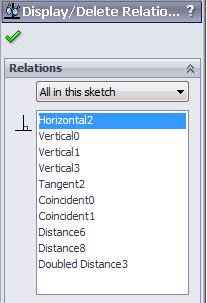
- that you can open a menu to display all of the sketch relations in the current sketch?

- that you can toggle the sketch relation visibility in the overhead menu? (If all other items are greyed out, that’s because you’ve enabled the setting View > Hide All Types)

- that you can delete one by clicking them and hitting the delete key?
- that you can right click a sketch and select Add Relation?
- that you can double click them to edit their properties?
- that you can select two items (lines, points) to see all possible sketch relations?
- that you can suppress them?
Suppressing sketch relations?
Most users will never need this functionality, but one day it might just come in really handy. You can even vary the suppression state across configurations, woohoo!
There are (to my knowledge) three ways of suppressing them:
- By right clicking a sketch relation and selecting Toggle Suppression
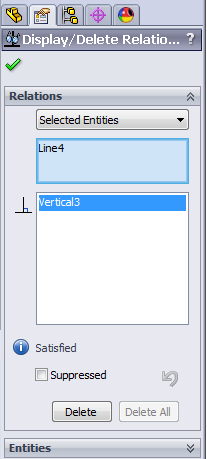
- By opening the menu and ticking the box “Suppressed”
- By adding a column to a design table saying something like “$STATE@Vertical3@Sketch1”
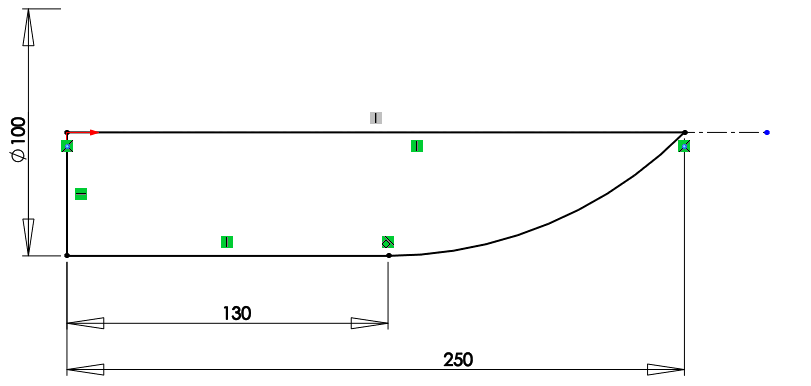
Now I can continue building my rocket, one line at a time!
How many items did you know already?
Let me know in the comments. If you know more tricks with sketch relations, speak up! We can all learn from you.